













News


 电商部
电商部  2025-12-24 11:45:45
 Best PCIe SSD 2025 - Top Picks for Gaming, Productivity & Budget
When it comes to upgrading your PC’s storage, a PCIe SSD is the gold standard for speed and performance. But with so many options on the market—from PCIe 3.0 to the latest PCIe 5.0 models—choosing the right one can be overwhelming. This guide breaks down the best PCIe SSDs of 2025, tailored to different needs and budgets, so you can make an informed decision without wasting money.
First, let’s clarify why PCIe SSDs stand out: unlike traditional SATA SSDs, which top out around 550MB/s, PCIe 3.0 SSDs reach up to 3500MB/s, and PCIe 4.0 models push 7000MB/s or more. For gamers, this means faster level loads and smoother open-world traversal; for content creators, it cuts down video export and 3D rendering times significantly.
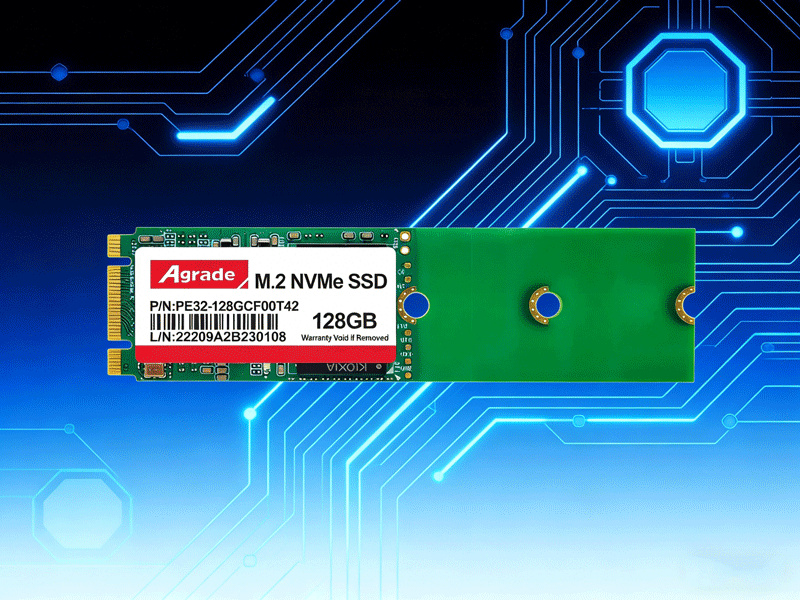
For budget shoppers, the Samsung 990 Pro remains a top choice for overall performance. Rated at 7450MB/s sequential read and 6900MB/s write speeds, it excels in both gaming and productivity, backed by a 5-year warranty and reliable Samsung TLC NAND flash. If you’re looking for value, the Zhitai TiPlus7100 (a Chinese brand with rising global recognition) offers similar PCIe 4.0 performance at a lower price, featuring Yangtze Memory Technology (YMTC) TLC NAND and low heat output—ideal for laptops or compact desktops.
For PCIe 3.0 users (older motherboards), the Kioxia RC20 is a solid pick, delivering stable 3500MB/s read speeds and broad compatibility without overspending. Gamers should prioritize models with optimized firmware, like the Western Digital SN850X with Game Mode 2.0, which boosts load times for large titles. For high-capacity needs, the JD Cloud Kunpeng 4TB PCIe 4.0 SSD combines 7450MB/s speeds with graphene cooling, perfect for storing massive game libraries or 4K video footage.
Avoid QLC NAND models—they have shorter lifespans (around 150 write cycles vs. 1000-2000 for TLC) and suffer drastic speed drops when their cache is full. Always check your motherboard’s PCIe version before buying: a PCIe 4.0 SSD will throttle on a PCIe 3.0 board, wasting your investment. With these picks, you can match your PCIe SSD to your use case, whether you’re chasing maximum performance, saving money, or upgrading an older system.

-
Products
Advantages
-
Solutions
-
News
About us
-
Contact us
Tel:+86 19926658803
Whatsapp:+86 19926658803
lianle1210@163.com
Address: 30CF, Caihong Building, Caihong Road, Futian District, Shenzhen City, Guangdong Province, China


Friendly Links:
