














News


 电商部
电商部  2025-12-23 10:40:31
 DDR4 Overclocking Guide 2025: Unlock Maximum Performance Safely
Overclocking DDR4 is a practical way to boost system performance without extra hardware costs, especially for gaming and content creation enthusiasts. However, improper overclocking can cause system instability or hardware damage. This guide will help you unlock your DDR4's maximum potential safely.
First, confirm the necessary conditions for overclocking. You need a DDR4 module that supports overclocking, a motherboard with a high-performance memory controller and rich BIOS overclocking options, a CPU with good overclocking potential (such as Intel K/X-series or AMD X/Z-series processors), and an effective cooling system. These are the foundations of successful overclocking.
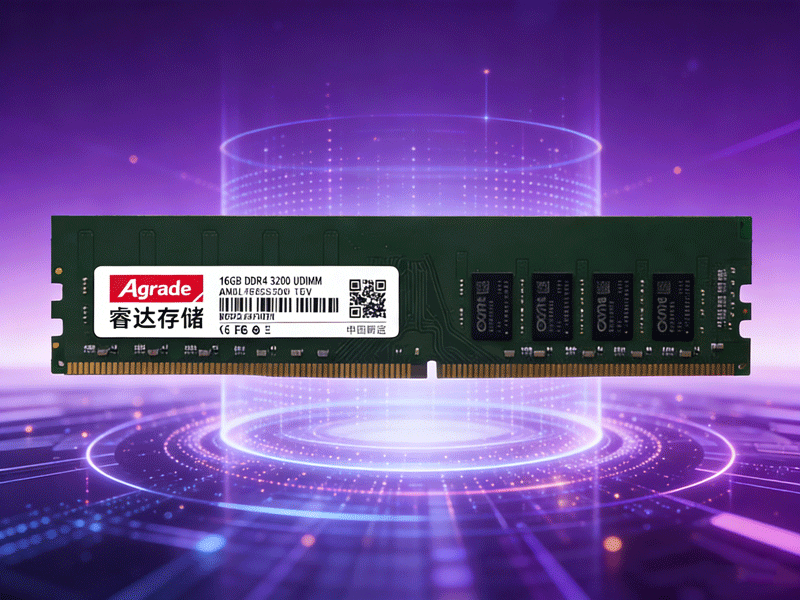
Understanding DDR4 parameters is crucial before overclocking. Frequency determines data transfer speed—common DDR4 frequencies include 2400MHz, 3200MHz, and 4000MHz. Timing, represented by four numbers like CL16-18-18-38, indicates data access latency; smaller values mean faster response. Voltage also affects stability: standard DDR4 voltage is 1.2V, and moderate increase (to 1.35V) can improve stability during overclocking, but excessive voltage will increase heat and shorten hardware lifespan.
The overclocking process starts with BIOS settings. Enter the motherboard's BIOS, find the memory overclocking section, and you can use XMP (Extreme Memory Profile) for automatic overclocking. XMP pre-sets optimized parameters by manufacturers, allowing the memory to run at the marked high frequency with one click—ideal for beginners. For advanced users, manual adjustment of frequency, timing, and voltage is recommended. Start with a small frequency increase (e.g., from 3200MHz to 3600MHz), test stability, and gradually raise it.
Stability testing is a must after overclocking. Use tools like MemTest Pro to run continuous tests for 8-12 hours. If no errors occur, the overclocking is stable. You can also test with actual scenarios, such as running 3A games or video editing software. Monitor the memory temperature during testing; a temperature below 50°C is ideal. If crashes or blue screens occur, reduce the frequency or adjust timing/voltage.
Remember, overclocking is a balance between performance and stability. Don't pursue extreme frequencies blindly. For most users, XMP-enabled automatic overclocking is sufficient to meet performance needs while ensuring system stability.

-
Products
Advantages
-
Solutions
-
News
About us
-
Contact us
Tel:+86 19926658803
Whatsapp:+86 19926658803
lianle1210@163.com
Address: 30CF, Caihong Building, Caihong Road, Futian District, Shenzhen City, Guangdong Province, China


Friendly Links:
