















News


 电商部
电商部  2026-02-25 18:27:09
 Wide Temperature TF Card Data Recovery: Methods to Retrieve Data After Damage
Wide Temperature TF Cards are known for their high reliability and data stability, but they are not immune to data loss or damage. Factors such as improper use, extreme environmental conditions, physical damage, or power fluctuations can lead to data loss, which can be catastrophic in industrial applications where data is critical. Fortunately, there are effective methods to recover data from damaged Wide Temperature TF Cards, depending on the type and severity of the damage. This article will outline the most common types of damage and the corresponding data recovery methods.
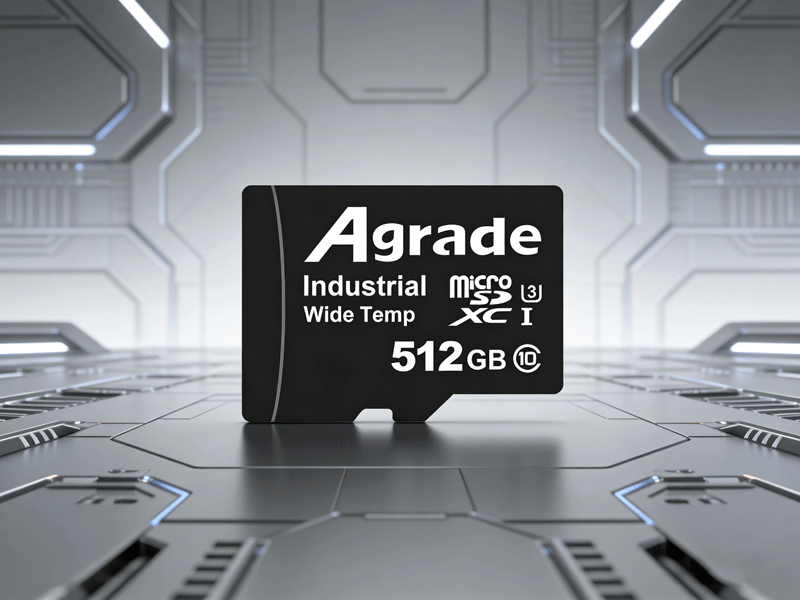
The first type of damage is soft failure, which is the most common and easiest to recover from. Soft failure refers to data loss caused by logical errors rather than physical damage to the card. Examples include accidental deletion of files, accidental formatting of the card, interruption of data writing (e.g., sudden power loss during file transfer), or corruption of the file system. In these cases, the hardware of the Wide Temperature TF Card is intact, and the data is still stored on the flash memory chips but is no longer accessible due to logical errors.
For soft failure data recovery, professional data recovery software is the most effective tool. There are many reliable software options available, including Recuva, EasyRecovery, DiskGenius, and Stellar Data Recovery. The operation process is relatively simple: first, connect the Wide Temperature TF Card to a computer using a card reader, ensuring that the computer recognizes the card. Next, open the data recovery software and select the "USB/Storage Card Recovery" mode. The software will then scan the card’s storage partition to detect lost or corrupted files. Once the scan is complete, you can preview the recoverable files, select the ones you need, and save them to the computer’s hard drive (not the damaged TF Card, as this may overwrite the lost data).
A critical principle for soft failure data recovery is to avoid writing new data to the damaged Wide Temperature TF Card before recovery. When you delete a file or format the card, the data is not immediately erased—it is only marked as "deleted" and the storage space is made available for new data. If you write new data to the card, it will overwrite the lost data, making it impossible to recover. Therefore, as soon as you discover data loss, stop using the card and begin the recovery process.
The second type of damage is hard failure, which involves physical damage to the Wide Temperature TF Card. Examples include the card being unrecognizable by computers or devices, circuit board burnout, flash memory chip damage, or physical damage to the card (e.g., bending, cracking). Hard failure is typically caused by severe physical impact, extreme temperature fluctuations, improper insertion/removal, or exposure to corrosive substances. Unlike soft failure, hard failure requires professional hardware repair and data extraction, as the internal components of the card are damaged.
For hard failure data recovery, it is not recommended to attempt DIY methods, as this may further damage the card and make data recovery impossible. Instead, you should send the card to a professional data recovery service. Professional data recovery engineers have specialized equipment and expertise to diagnose the extent of the damage. If the flash memory chips are not completely damaged, they can use chip-level extraction techniques to remove the flash chips from the circuit board and extract the data directly. This process is complex and requires specialized tools, but it is the only way to recover data from a physically damaged Wide Temperature TF Card.
There is also a third scenario: temporary unrecognizability caused by extreme temperatures. In extremely cold environments (-25°C or lower), the flash memory chips of the Wide Temperature TF Card may enter a dormant state, causing the card to be unrecognizable by devices. This is not a hardware failure but a temporary condition caused by low temperatures. To resolve this, simply move the card (and the device it is inserted into) to a room-temperature environment (20°C to 25°C) and let it sit for 10-20 minutes. Once the chips warm up, the card will become recognizable again, and the data will remain intact.
Finally, it is important to note that data recovery is not 100% guaranteed, even with professional tools and services. The success of recovery depends on the severity of the damage and whether the lost data has been overwritten. Therefore, the best way to protect your data is to back up important files regularly. For industrial applications, it is recommended to implement a regular backup schedule (e.g., weekly or monthly) to ensure that critical data is not lost in the event of a card failure.

-
Products
Advantages
-
Solutions
-
News
About us
-
Contact us
Tel:+86 19926658803
Whatsapp:+86 19926658803
lianle1210@163.com
Address: 30CF, Caihong Building, Caihong Road, Futian District, Shenzhen City, Guangdong Province, China


Friendly Links:
